How to Aim a Satellite Dish: A Practical Step-by-Step Guide
Recommended picks


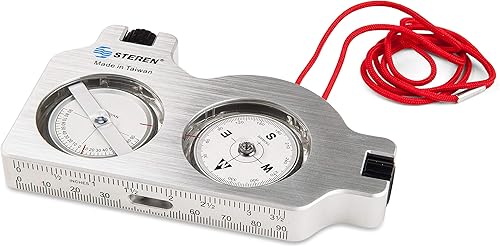
What You Need Before You Start
Grab your receiver's signal meter screen or a free satellite finder app on your phone before climbing a ladder. You need three numbers for your location: azimuth (compass direction), elevation (tilt angle in degrees), and skew (LNB rotation). A basic compass, a smartphone inclinometer app, and a non-magnetic level are enough for most installs. If your dish is an older fixed unit, a simple signal-meter inline meter that goes between the LNB cable and the receiver can make peaking much easier than running back and forth inside. The Winegard RK-4000 mount kit, rated 4.6 stars across 477 reviews and priced around $64.79, includes the hardware needed to get a dish repositioned on a roof or wall without improvising brackets.
Step 1: Look Up Your Azimuth, Elevation, and Skew
Go to dishpointer.com or satbeams.com, enter your zip code or address, and select your satellite provider and specific satellite. Write down all three values: azimuth is the compass bearing you will rotate the dish toward, elevation is how many degrees above the horizon the dish face must tilt, and skew is how many degrees you rotate the LNB arm clockwise or counterclockwise. In the continental United States, DirecTV customers on the 101W satellite typically see elevation angles ranging from around 25 degrees in the northern states to over 50 degrees in the south, so do not assume a middle number. Using the wrong satellite for your provider is one of the most common reasons a dish seems to aim fine but produces no signal.
Step 2: Set Elevation and Skew on the Ground
Most dishes let you pre-set elevation and skew before the mount goes up, and doing this on the ground is much safer and faster. Loosen the elevation bolt on the back of the dish, tilt the face to match your elevation angle using a phone inclinometer or a printed angle gauge, and retighten it finger-tight. Then rotate the LNB arm to your skew value using the skew scale printed on the LNB bracket. Many installers skip the skew step entirely and wonder why signal quality stays mediocre even after a solid azimuth lock. Skew directly affects how the satellite's polarized signal aligns with the LNB, so a wrong skew can cost you 10 to 15 signal-quality points even with perfect pointing.
Step 3: Aim the Azimuth and Peak the Signal
Mount the dish at the pre-set elevation and skew, then rotate it slowly through your target azimuth while watching the signal meter on your receiver or a handheld finder. Most receivers take 5 to 10 seconds to update the signal bar, so move a degree at a time and pause. The Winegard PL-7000, which carries a 4.3-star rating from 623 reviewers and retails for about $309, is a portable automatic dish that handles this entire aiming process motorized, which is worth the investment for RV users or anyone who moves the dish between locations regularly. For a fixed home install, slow manual sweeping works fine as long as you allow time between each adjustment for the meter to catch up. Once you find a peak, nudge the dish a half-degree in each direction to confirm you are at the true top of the arc, then fully tighten the azimuth bolt.
Step 4: Fine-Tune and Lock Down
After locking azimuth, go back and check elevation in small increments, because the azimuth and elevation peaks are not always perfectly independent. A signal quality reading above 70 on a standard 0-to-100 receiver scale is generally reliable for clear weather, and anything above 80 gives you a solid buffer against rain fade. Tighten all mount bolts firmly, but do not strip them. Run a drip loop on the coax cable before it enters any connector or wall penetration so water cannot track down into the fitting. The Steren 203-661, rated 4.5 stars from 128 buyers and priced around $110, includes signal-distribution components useful when splitting the output to multiple receivers after the dish is locked in.
Checking Signal Strength vs. Signal Quality
Most satellite receivers show two separate readings: signal strength and signal quality, and quality is the one that actually matters. Strength measures raw power at the LNB, which can look decent even when the dish is pointing near but not at the satellite. Quality measures how cleanly the receiver can decode the signal, and it drops sharply when the dish is off-axis even slightly. Aim for the highest quality number, not the highest strength number. If quality stays below 60 after careful aiming, check for obstructions in the line of sight such as a tree branch, an overhang, or a nearby wall, because even a partial obstruction can block enough signal to prevent a reliable lock.
Common mistakes to avoid
- Using the wrong satellite coordinates for your provider or plan, which causes the dish to lock onto a neighbor satellite with no usable channels.
- Skipping the skew adjustment and then wondering why signal quality is stuck below 65 even with a clean azimuth.
- Moving the dish too fast while sweeping for azimuth, not pausing long enough for the receiver meter to update before moving again.
- Tightening the mount bolts fully before finishing all three adjustments, making it hard to make small corrections without loosening everything.
- Ignoring obstructions in the signal path, especially trees to the south and southwest, which are the direction most geostationary satellites sit for US viewers.
- Forgetting to run a drip loop on the coax cable, which allows rain water to wick into the connector and corrode the signal path over time.
Frequently asked questions
How do I find the correct azimuth and elevation for my address?
Go to dishpointer.com or satbeams.com, enter your full address or zip code, and select the satellite your provider uses. The site returns your azimuth, elevation, and skew values specific to your location. These numbers change meaningfully across just a few hundred miles, so always use your actual address rather than a nearby city.
What signal strength reading means the dish is aimed well?
Focus on signal quality rather than signal strength. A quality reading of 70 or higher on a standard 0-to-100 scale is generally reliable for everyday viewing. Above 80 is better, since it gives you headroom when heavy rain or heavy cloud cover temporarily reduces signal. Strength can read high while quality stays low if the dish is slightly off-axis.
Can I aim a satellite dish by myself, or do I need a second person?
One person can do it alone using the receiver's on-screen signal meter and a long coax run to monitor from outside, or by using a smartphone satellite app that audibly beeps louder as signal improves. A second person watching the TV screen and calling out readings by phone speeds things up, but it is not required. An inline satellite signal meter placed between the LNB cable and receiver also lets you read signal right at the dish.
Why do I have signal strength but no picture?
This usually means the dish is locked onto the wrong satellite, or skew is set incorrectly. Confirm the satellite name in your receiver's signal screen matches your provider's primary satellite for your region. Also verify your skew setting, because a wrong skew prevents the LNB from decoding a polarized signal even when pointing direction looks correct. Running a channel scan after confirming the settings can also resolve missing channels after a realignment.
How does rain affect satellite signal, and how much margin do I need?
Rain absorbs microwave frequencies used by Ku-band and Ka-band satellites, which is the cause of rain fade during heavy storms. A signal quality reading of 80 or above in clear weather usually provides enough margin to maintain a picture through most rain events. Extremely heavy downpours can drop signal by 15 to 20 quality points temporarily, so the higher your clear-sky baseline, the more weather resistance you have.