Do I Need a TV Screen Protector?
Recommended picks
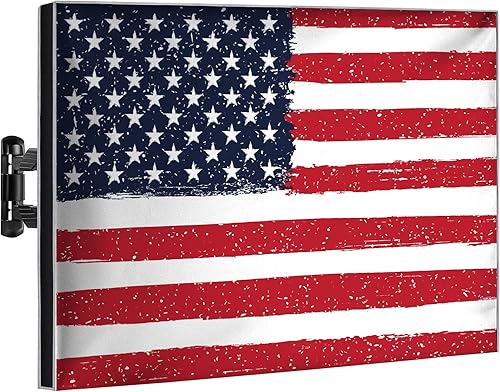

What a TV Screen Protector Actually Does
A TV screen protector is a rigid or semi-rigid panel, usually made of tempered acrylic or polycarbonate, that mounts in front of your panel with a small air gap. It absorbs impact from stray toys, remote controls, or accidental elbows before that force reaches the screen. It also keeps sticky fingers and pet noses from touching the actual display surface, which matters on OLED and QLED panels where repeated pressure can cause pixel damage over time. What it does not do is improve picture quality. In fact, most protectors reduce brightness a little and can add a faint haze if not kept clean, so fitting one to a high-end display you rarely worry about is a real trade-off.
Situations Where a Protector Is Worth It
Households with toddlers or young children are the clearest case. Kids press on screens, throw things, and do not aim well with toy swords. A protector priced around $27 to $45, such as the iBirdie model (4.7 stars, 3,000 ratings) or the Garnetics panel (4.6 stars, 14,600 ratings at $44.98), costs far less than a cracked screen replacement. Playrooms and basements used for gaming or exercise are a second strong case, since a controller or a resistance band can easily reach a wall-mounted TV. Households with large dogs that jump up near furniture are another common reason buyers go looking for protectors.
Situations Where You Can Skip It
If your TV sits in a dedicated media room or a bedroom used mostly by adults, a screen protector adds cost and a slight image trade-off without meaningful benefit. High-brightness OLEDs and QLEDs benefit most from an unobstructed viewing angle, and any panel in front of them narrows that cone slightly. TVs mounted high on a wall, well above head height, face very little physical risk. In those setups, regular dusting with a dry microfiber cloth is the only maintenance the screen needs.
How to Choose the Right Protector
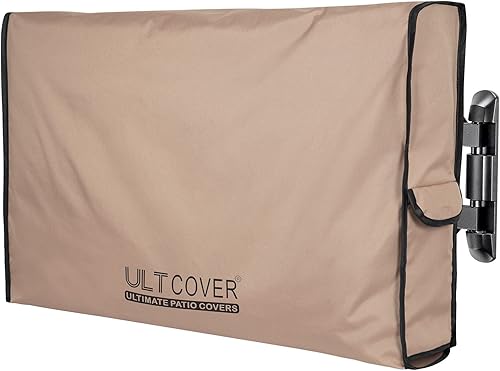
Fit is the single most important factor. Measure your TV's screen diagonal and check the protector's listed size range, since a protector that overhangs or leaves a gap around the edges will trap dust and look sloppy. Material matters too. Tempered acrylic is lighter and cheaper but can scratch more easily, while polycarbonate is more impact-resistant but heavier. For most households with kids, a mid-range option around $27 to $45 is the practical sweet spot. The Ultcover model (4.7 stars, 2,300 ratings, $32.99) falls in that range and carries enough reviews to be a reliable data point. For outdoor or high-humidity rooms, look for enclosures rather than flat film-style protectors.
Installation and Care
Most flat-panel protectors hang from the top of the TV bezel with adjustable straps or hooks and rest against the screen with a small standoff gap. No adhesive touches the screen. Before hanging, clean the TV surface thoroughly with a dry microfiber cloth, since any dust trapped behind the protector will be visible later. Wipe the protector itself with a damp microfiber cloth, not paper towels, which can scratch acrylic. Avoid glass cleaners with ammonia, which can cloud or craze plastic panels over time. Re-check the mounting hooks every few months if the TV is in a high-traffic area.
Cost vs. What You Are Protecting
TV screen replacements, when parts are even available, routinely cost more than the TV is worth, making a replacement purchase the realistic outcome of a cracked panel. A protector in the $25 to $50 range is cheap insurance if you genuinely face physical risk. For a $300 to $600 mid-range TV in a risky environment, the math is easy. For a $2,000 to $4,000 OLED, the math is still easy in the same direction, but you should also pay attention to image quality loss and choose a protector with a high optical clarity rating. Questions? Reach us at hello@raltv.com.
Common mistakes to avoid
- Buying a protector sized for your TV's overall frame instead of its actual screen diagonal, leaving visible gaps.
- Using glass cleaner with ammonia on an acrylic or polycarbonate protector, which clouds the surface permanently.
- Skipping the dust wipe before installation, trapping particles that become visible once the protector is hung.
- Assuming a screen protector also improves anti-glare performance. Most flat acrylic panels add very little glare reduction.
- Choosing the cheapest film-style protector for a large TV. Thin films sag and wrinkle on screens above 50 inches.
- Fitting a protector to a TV that is already mounted high and out of reach, paying for protection the setup does not need.
Frequently asked questions
Will a TV screen protector reduce picture quality?
Any panel placed in front of a screen reduces peak brightness a small amount and can narrow the optimal viewing angle slightly. On most mid-range TVs in a bright room you will not notice the difference. On a high-end OLED or QLED with wide viewing angles and high HDR brightness, the change is more visible, so weigh that trade-off before buying.
Do OLED TVs need screen protectors more than LED TVs?
OLED panels are thinner and the organic pixels can be more sensitive to sustained physical pressure, so a protector makes more sense if the set is within reach of kids or pets. That said, the picture quality trade-off is also more noticeable on an OLED, since those sets produce some of the best contrast and viewing angles available. The decision comes down to your room setup and your household.
Can I use a screen protector outdoors?
A standard flat acrylic or polycarbonate panel is not sealed against rain, humidity, or insects. For outdoor use you need a full weatherproof TV enclosure, not just a front protector. Indoor-rated protectors left outside will warp and cloud quickly from moisture and UV exposure.
How do I clean a TV screen protector?
Use a clean, dry or lightly damp microfiber cloth. Wipe gently in one direction rather than scrubbing in circles. Avoid paper towels, rough cloths, and any cleaning spray that contains ammonia or alcohol, all of which can scratch or craze plastic protectors over time.
Are TV screen protectors universal or TV-brand specific?
They are sized by screen diagonal and are not brand-specific. Most products list a size range such as 60 to 65 inches. Measure your TV's actual screen diagonal before ordering, because the same nominal size can vary by an inch or more between brands, and a poor fit means gaps where dust enters or edges that catch light and look unfinished.