How Many HDMI Ports Do I Need on a TV?
Recommended picks

Why HDMI Port Count Matters More Than It Looks
A TV with two HDMI ports sounds like plenty until you add a Blu-ray player, a soundbar that passes audio through HDMI ARC, a game console, and a cable box. That is four devices for two slots. Swapping cables constantly is annoying at best and can loosen connectors over time. Checking port count before you buy takes 10 seconds and can save years of frustration. Most mid-range LED TVs in the 43 to 65 inch range now ship with 3 to 4 HDMI ports, so it is not a premium feature you have to pay extra for.
The Minimum: 2 Ports
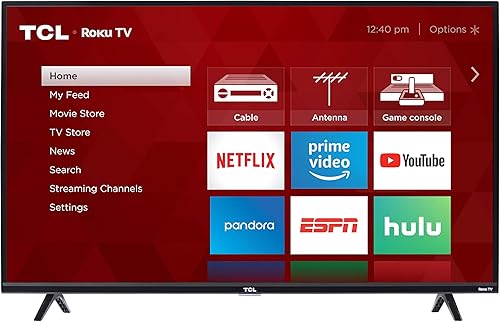
A bedroom TV used for streaming and the occasional game console can get by with 2 HDMI ports. The TCL 43S325 (43", 1080p Full HD, rated 4.6 by over 39,000 buyers at $287) is a good example of a practical Roku TV in this range, pairing well with a streaming stick already built into the Roku platform so you may not even need a second HDMI device. Two ports works if your use case is simple and you have no plans to add a soundbar or a second console.
The Sweet Spot: 3 Ports
Three HDMI ports handles the most common living room setup: one port for a game console, one for a soundbar or AV receiver via HDMI ARC, and one spare for a Blu-ray player, laptop, or streaming device you rotate in. The TCL 65S425 (65", 4K UHD, 120Hz, rated 4.6 across 44,400 reviews at $499.95) is a well-regarded Roku TV in a large screen size that falls in this category. Three ports gives you enough headroom without paying for a premium panel just to get more connectivity.
Power Users and Home Theater: 4 or More Ports
If you own multiple consoles, a dedicated AV receiver, a 4K Blu-ray player, and a PC or laptop you occasionally mirror to the TV, you want 4 HDMI ports at a minimum. With a receiver in the chain, you can also route additional devices through the receiver and into a single HDMI input, which effectively multiplies your available connections. Home theater setups often run a separate HDMI eARC port for the soundbar plus 3 additional inputs, which is why flagship TVs tend to top out at 4 physical ports.
HDMI ARC and eARC: Count That Port Carefully
On most TVs, one of the HDMI ports is labeled ARC or eARC. This port handles audio return channel, sending sound from the TV back to a soundbar or receiver without a separate optical cable. If you use a soundbar, that ARC port is taken. So a TV advertised with 3 HDMI ports effectively gives you 2 free inputs and 1 dedicated to audio. eARC is the newer version and supports lossless audio formats like Dolby TrueHD, which matters if you watch a lot of Blu-ray content. Always check which port number carries ARC in the TV specs before buying.
Small TVs and Budget Sets: What to Expect
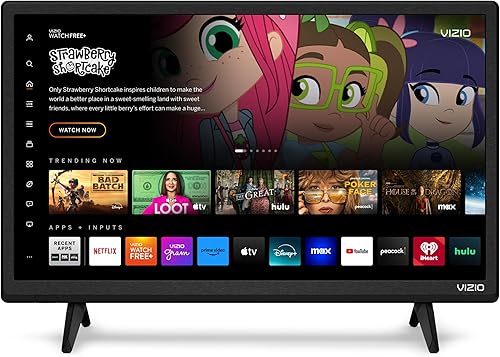
Budget and smaller TVs often trim to 2 HDMI ports to hit a price target. The Vizio D24f-J09 (24", 1080p, rated 4.2 by 14,500 buyers at $79.99) is a compact LED set aimed at kitchens, bedrooms, or dorm rooms where 2 ports is typically enough. If you buy a sub-32 inch TV for a secondary room, do not expect 4 ports and plan accordingly. For a primary living room set, spend a little more to get at least 3 HDMI inputs so you are not managing cables every time you want to switch sources.
Common mistakes to avoid
- Buying a TV based on screen size and resolution alone without checking the HDMI port count on the spec sheet.
- Forgetting to count the HDMI ARC port as a dedicated slot, which reduces free inputs by one if you use a soundbar.
- Assuming a streaming stick frees up an HDMI port when the stick itself occupies one of the ports on the TV.
- Buying a 2-port TV for the living room with plans to add more devices later, then having to use an HDMI switch that adds lag or sync issues.
- Not checking whether HDMI 2.1 ports are available when shopping for a gaming TV that will run 4K at 120Hz.
- Buying an HDMI switch as an afterthought instead of factoring port count into the original purchase decision.
Frequently asked questions
Is 2 HDMI ports enough for a bedroom TV?
Usually yes. A bedroom TV typically connects to one streaming device and maybe a game console. If you do not use a separate soundbar and rely on the TV speakers, two ports covers both without any compromises. Problems start when you try to add a third device and run out of ports.
Do I need HDMI 2.1 or is 2.0 fine?
HDMI 2.0 handles 4K at 60Hz, which is sufficient for most streaming and standard gaming. HDMI 2.1 supports 4K at 120Hz and 8K, which matters for PlayStation 5 and Xbox Series X gaming at full frame rates. If you own or plan to buy a current-generation console, at least one HDMI 2.1 port is worth having.
Can I use an HDMI switch to get more ports?
Yes, but there are tradeoffs. Passive HDMI switches are cheap and work fine for standard 1080p sources. For 4K HDR or high-refresh gaming signals, use an active powered switch to avoid signal degradation. Some switches also require you to manually flip a selector rather than auto-detecting the active source, which adds a small step every time you change inputs.
What is the difference between HDMI ARC and eARC?
ARC sends compressed audio, like Dolby Digital, back to a soundbar over the same HDMI cable. eARC supports uncompressed and lossless audio formats such as Dolby TrueHD and DTS-HD Master Audio, which gives better sound quality from a compatible soundbar or receiver. Both work for standard TV and streaming audio. eARC makes a noticeable difference if you play physical 4K Blu-ray discs with lossless audio tracks.
How do I find out how many HDMI ports a TV has before buying?
Check the full spec sheet on the retailer page, not just the marketing bullets. Look for a connectivity or ports section that lists each HDMI port by number and version. If the listing only says 'HDMI' without a count, contact the seller or look up the model number on the manufacturer site to get the exact breakdown. For questions about a specific model, reach out to us at hello@raltv.com.