How to Choose a TV: What Actually Matters
Recommended picks

Step 1: Pick the Right Screen Size
Screen size is the single decision that affects your daily viewing satisfaction the most. The standard guidance is to divide your seating distance (in inches) by 1.6 to find the minimum comfortable diagonal. For a 10-foot couch-to-screen distance that works out to roughly 75 inches, while a bedroom at 6 feet calls for around 43 to 55 inches. Retailers push larger sets, and in most rooms they are right to do so. Going one size up is almost always a better spend than upgrading picture specs on a smaller panel.
Step 2: Choose Resolution Based on Screen Size
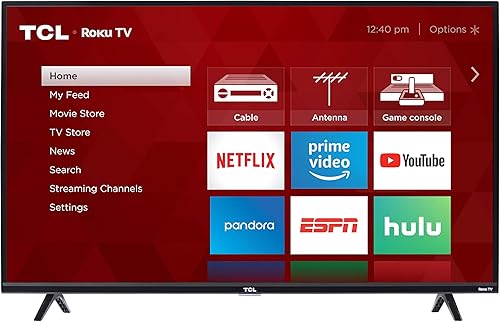
Resolution only matters if your screen is large enough and your seating close enough for your eyes to see the extra pixels. On a 32-inch set like the TCL 32S327 (rated 4.6 by over 21,000 buyers at $173), 1080p Full HD is the practical ceiling because 4K adds no visible benefit at normal viewing distances under 6 feet. Move to 43 inches and 4K starts paying off. At 65 inches and above, 4K is the baseline worth buying and 8K remains mostly theoretical for home use given the near-total absence of 8K content. Do not pay a premium for 8K at this point.
Step 3: Understand Refresh Rate
Refresh rate tells you how many times per second the panel redraws the image, measured in Hz. A 60 Hz panel is fine for cable TV, streaming, and most movies. If you play games, follow live sports, or watch a lot of action films, a 120 Hz panel noticeably reduces motion blur and judder. The TCL 65S425, a 65-inch 4K LED with 120 Hz refresh and Roku built in, earned a 4.6 rating from over 44,000 reviewers at around $500, making it a strong all-purpose pick. Be cautious of marketed rates like 240 Hz that are achieved through motion interpolation rather than a native panel spec.
Step 4: LED, Mini LED, and QLED Explained
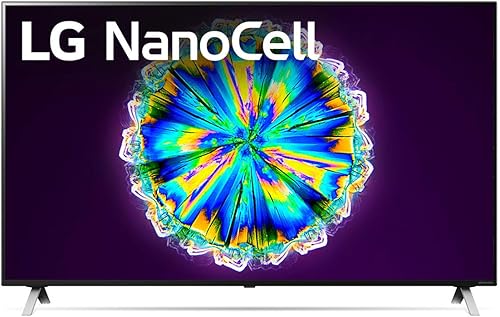
Standard LED LCD TVs use a backlight behind the panel and represent the vast majority of sets under $700. They deliver solid brightness and long life at a reasonable price. Mini LED uses smaller, more numerous backlight zones for better contrast and brighter highlights, and you pay for it. The LG 50QNED80URA uses a Mini LED backlight with a 50-inch 4K panel and webOS, rated 4.2 from 391 buyers at around $497. QLED is a marketing label used by Samsung and others for LED sets with a quantum dot film that widens color coverage. None of these are OLED, which is a different technology entirely with self-emitting pixels and deeper blacks.
Step 5: Smart Platform and App Support
Every TV sold today includes a smart platform, and your choice affects which streaming apps are available and how fast the interface responds. Roku is widely praised for its simple layout, broad app library, and regular free updates. Google TV and Android TV give you the Play Store and work tightly with Google Home. webOS on LG sets is clean and fast. Amazon Fire TV is baked into some budget sets and integrates well with Alexa. The honest answer is that any of these platforms work well for the major apps, so pick based on what other devices are in your home rather than agonizing over the choice.
Step 6: Ports and Connectivity
Count your devices before buying. A soundbar, a game console, a streaming stick, and a cable box already consume four HDMI inputs. Most budget sets ship with two or three HDMI ports, which is tight. The LG 65UQ7570PUJ, a 65-inch 4K LED on webOS rated 4.2 by 1,400 buyers at around $570, includes Bluetooth, Ethernet, HDMI, USB, and Wi-Fi, which covers most setups. Make sure at least one HDMI port supports HDMI 2.1 if you own a current-generation game console and want 4K at 120 frames per second. USB ports are handy for a thumb drive or direct media playback.
Common mistakes to avoid
- Buying a 65-inch 4K set for a bedroom where you sit 5 feet away, then noticing the panel takes up more of your peripheral vision than is comfortable.
- Paying extra for 8K resolution when broadcast and streaming 8K content is essentially nonexistent for home viewers.
- Assuming a higher marketed refresh rate means a native 120 Hz panel. Many budget sets list 240 Hz effective refresh but run a 60 Hz native panel with software interpolation.
- Forgetting to count HDMI devices before purchase and then discovering you need a separate HDMI switch on day one.
- Choosing a smart platform based on name alone rather than which ecosystem matches your phone, tablet, and voice assistant.
- Skipping Ethernet and relying on Wi-Fi only, then experiencing buffering on a set placed far from the router.
Frequently asked questions
What TV size is best for a 10-foot viewing distance?
At 10 feet, or 120 inches, the standard formula (distance divided by 1.6) suggests a 75-inch screen as the comfortable minimum. A 65-inch set works too but will feel smaller than ideal in a large living room. Most buyers at that distance who start with 65 inches wish they had gone larger.
Is 4K worth it on a smaller TV?
On sets below 43 inches, 4K provides little visible improvement at normal sitting distances because human eyes cannot resolve the extra pixels from more than 5 to 6 feet away. The exception is if you sit very close to the screen, such as at a desk. For screens 43 inches and above used from a typical couch distance, 4K is a worthwhile upgrade over 1080p.
Do I need a 120 Hz TV if I only watch streaming?
For streaming movies and TV shows alone, 60 Hz is sufficient because most content is produced at 24 or 30 frames per second. The main benefit of 120 Hz shows up in sports, gaming, and some live TV where fast motion benefits from a higher panel refresh rate. If your household does any gaming at all, 120 Hz is a reasonable future-proofing investment.
What is the difference between QLED and OLED?
QLED is an LED LCD panel with a quantum dot film added to expand color range. It still uses a traditional backlight, meaning blacks appear more gray than true black in dark rooms. OLED uses self-emitting pixels that turn completely off, producing perfect blacks and higher contrast. OLED costs more and carries a small risk of burn-in with static content, while QLED is brighter and generally more durable for high-ambient-light rooms.
How many HDMI ports do I need?
Count every device you plan to connect at once. A typical setup with a cable box, streaming stick, soundbar, and one game console needs four HDMI ports. Budget sets often include two or three, which means you may need an HDMI switch unless you buy a step-up model. If you own a PlayStation 5 or Xbox Series X, prioritize at least one HDMI 2.1 port for 4K 120 Hz gaming.