What Is VESA Mounting? Everything You Need to Know Before You Buy a Bracket
Recommended picks


Where the VESA Standard Comes From
The Video Electronics Standards Association published the Flat Display Mounting Interface standard in 1997 to solve a real headache: every display maker was drilling bolt holes in different spots, so brackets were not interchangeable. The standard gave manufacturers a grid of accepted hole patterns ranging from 75x75 mm for small screens up to 900x600 mm and beyond for very large commercial panels. Because the spec is open and widely adopted, a bracket made in one factory in China and a TV assembled in another factory in South Korea can share the same four bolts without any modification.
How to Read a VESA Pattern
VESA patterns are always written as two numbers separated by an x, for example 200x200 or 400x300. The first number is the horizontal distance between the left and right bolt holes, measured center to center in millimeters. The second number is the vertical distance between the top and bottom bolt holes, measured the same way. A square pattern like 400x400 means all four bolts form a perfect square. A rectangular pattern like 400x300 is wider than it is tall. Both the bracket and the TV must share the exact same pattern for the mount to work correctly.
Common VESA Patterns by Screen Size
Most 32-inch to 43-inch TVs use a 200x200 pattern, though some budget sets use 100x100. TVs in the 49-inch to 65-inch range commonly land on 300x300 or 400x400. Large screens from 75 inches up often use 600x400 or 800x400. These are trends, not rules. Samsung, LG, Sony, and other brands each have their own hole placement per model, so always look up the exact pattern for your specific TV before ordering a bracket. You can find it in the owner's manual, on the manufacturer's support page, or by measuring the holes yourself.
How to Measure Your TV's VESA Pattern
You need a metric tape measure or a ruler marked in millimeters. Lay the TV face-down on a blanket or soft mat to protect the screen. Find the four mounting holes on the back panel. Measure the distance from the center of the left hole to the center of the right hole on the same horizontal row, that gives you the first number. Then measure from the center of a top hole to the center of the bottom hole on the same vertical column, that is the second number. Write both numbers down before you shop. If you get a measurement like 198 or 202, round to 200 because small variance in your tape measure is normal and 200x200 is the standard.
Choosing a Bracket That Matches
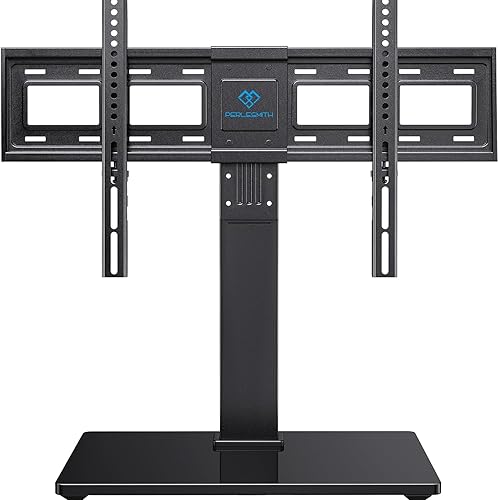
Every reputable wall mount lists the VESA patterns it supports in the product specs. A bracket rated for 200x200 to 400x400 will cover any pattern within that range because it has adjustable arms. The Mounting Dream MD2361-K, rated 4.7 stars across more than 26,600 reviews at around $23, is a fixed flat mount that covers a wide range of VESA patterns and is a consistent top pick for shoppers who want a flush, no-fuss install. The Wali TVS001 has racked up over 42,200 reviews at 4.5 stars and is another reliable option for straightforward fixed mounting. The Perlesmith PSTVS13 earns 4.7 stars from more than 28,200 buyers at about $50 and adds tilt adjustment for viewers who need to angle the screen down from a high wall position. Always confirm the bracket's listed VESA range includes your TV's exact pattern before purchasing.
Bolt Size and Thread Pitch Matter Too
Matching the VESA pattern is the main step, but the bolts also have to fit. Most TV mounting holes use M4, M6, or M8 metric bolts. The number refers to the bolt diameter in millimeters. M6 is the most common on mid-size TVs. Good brackets ship with a hardware pack that includes multiple bolt lengths and often multiple sizes. If yours does not, or if the included bolts bottom out in the hole before the bracket is fully seated, buy slightly shorter bolts of the same thread size. A bolt that is too long can crack the internal chassis of the TV, so thread depth matters as much as pattern spacing.
Common mistakes to avoid
- Measuring hole spacing in inches instead of millimeters and getting a number that matches no real VESA standard.
- Buying a bracket before confirming the exact VESA pattern for your specific TV model, then finding the holes do not line up.
- Assuming a larger bracket will always fit a smaller TV. If the bracket's minimum VESA is larger than your TV's pattern, the arms cannot close in far enough.
- Using bolts that are too long, which thread all the way through the mounting hole and press against internal components, risking damage to the display.
- Ignoring the bracket's weight rating. Every mount lists a maximum load in pounds or kilograms. Your TV's weight must fall below that number with room to spare.
- Skipping the stud check. VESA pattern compatibility is irrelevant if the bracket is anchored only to drywall with no studs behind it. Always drive the lag screws into wall studs or use a rated concrete anchor in masonry.
Frequently asked questions
Is VESA mounting universal?
The VESA standard is universal in the sense that any bracket and any TV sharing the same hole pattern will physically connect. It is not universal in the sense that one bracket fits every TV, because TVs come in many different patterns. You need to match the pattern exactly, not just buy any VESA-compatible product.
What VESA pattern do most 55-inch TVs use?
Most 55-inch TVs from mainstream brands use a 300x300 or 400x400 VESA pattern. However, this varies by manufacturer and model year, so measure your specific TV or look up its spec sheet rather than assuming. A bracket that covers 200x200 through 400x400 will handle the majority of 55-inch sets on the market.
Can I use a mount rated for a larger VESA pattern on my TV?
Only if the bracket's arms are adjustable and can close in to match your TV's smaller pattern. Fixed-arm brackets designed for a single large pattern, such as 600x400, will not work on a TV with a 200x200 pattern because the holes simply will not line up. Check the bracket's minimum and maximum VESA range in the specs.
What happens if I use the wrong bolt length?
A bolt that is too long bottoms out in the TV's threaded insert and continues to apply pressure against the internal frame, which can crack the chassis or damage circuit boards close to the surface. A bolt that is too short will not grip enough threads to hold the TV's weight safely. Most bracket kits include multiple lengths so you can choose the right fit for your specific set.
Do all flat-screen TVs have VESA mounting holes?
Nearly all flat-panel TVs sold in the US have VESA-compatible mounting holes on the back. A small number of very inexpensive displays or specialty commercial panels may use a proprietary pattern or no holes at all. If you cannot find VESA specs for a TV in its documentation, look at the back of the panel directly. Four bolt holes arranged in a rectangle are a reliable indicator the set follows the VESA standard.