4K vs HD Streaming Players: Which One Is Right for Your TV?
Recommended picks
What the Resolution Numbers Actually Mean
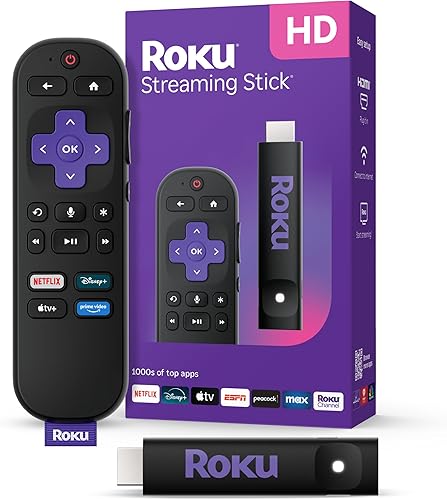
HD streaming players output at 720p or 1080p Full HD, meaning 1,280 by 720 or 1,920 by 1,080 pixels. 4K UHD players output at 3,840 by 2,160 pixels, four times the pixel count of 1080p. The difference is visible on screens 50 inches and larger when you sit within about eight feet. On smaller screens or from farther away, most people cannot reliably tell them apart. The Roku 3840R, a 1080p player rated 4.7 stars across more than 20,000 reviews, delivers sharp, clean pictures on any Full HD TV at around $29.
When a 4K Player Is Worth Buying
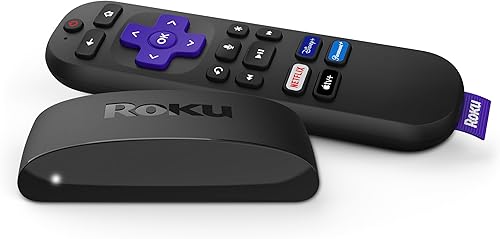
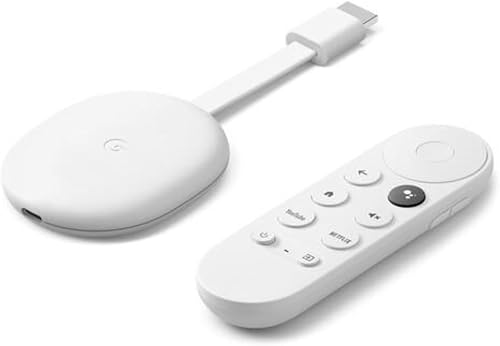
A 4K streaming player makes sense when three things line up: you have a 4K TV, you subscribe to a service that actually streams in 4K, and you sit close enough to a large screen to see the difference. Netflix, Disney+, Apple TV+, and YouTube all offer 4K content, but you usually need a premium subscription tier for the full resolution. The Roku 3941R is a popular 4K option, rated 4.7 stars across more than 103,000 reviews and priced around $39, with over 4,000 units bought per month. The Google GRS6B running Google TV is another solid 4K pick at around $80, with Ethernet and Wi-Fi connectivity and over 3,500 reviews at 4.4 stars.
When an HD Player Is the Smarter Buy
If your TV is 1080p or older, buying a 4K player is a waste of money since the TV itself cannot display the higher resolution. HD players also tend to cost less, run cooler, and work fine on any broadband connection since 1080p streams require much less bandwidth than 4K. They are a practical choice for bedroom TVs, kids' rooms, or any screen where the viewer sits far back. The Roku 3840R, a 1080p Full HD model priced at about $29, moves over 10,000 units a month, which shows HD players remain a mainstream choice.
Internet Speed Requirements
4K streaming from Netflix or Disney+ requires a sustained connection of at least 15 to 25 Mbps per stream. 1080p HD streaming needs 5 to 10 Mbps. If your home Wi-Fi is shared across many devices, or if your internet plan is under 25 Mbps, a 4K player may buffer or auto-drop to a lower quality. In that case, an HD player running 1080p will give you a more consistent picture. Some higher-end 4K players include an Ethernet port, like the Roku 4802R and Google GRS6B, which helps if your router is nearby.
Price Difference Between 4K and HD Players
The price gap between HD and 4K streaming players has narrowed considerably. Entry-level 4K players now start around $30 to $40, barely more than a comparable HD model. You can spend more for features like Ethernet, USB ports, Bluetooth, and voice remotes, but the resolution jump alone rarely justifies more than a $20 premium over an HD model. Compare what you actually use: if you mostly watch cable apps and local content in 1080p, a basic HD stick is plenty. Save the extra money toward a better Wi-Fi router if your streaming regularly buffers.
Platform and App Availability
Resolution is not the only factor. The streaming platform matters as much as the picture quality. Roku players, whether HD or 4K, carry nearly every major app and work well on any TV brand. Google TV players integrate tightly with Google accounts and work well if you use Android or Chromecast. Apple TV 4K suits households already in the Apple ecosystem. Most platforms offer the same apps at both HD and 4K resolution, so your choice of platform is largely about which app store, interface, and voice assistant you prefer. Questions? Reach us at hello@raltv.com.
Common mistakes to avoid
- Buying a 4K streaming player for a TV that only supports 1080p, which wastes money since the player will cap at the TV's maximum resolution.
- Assuming all 4K content is automatically available. Most services require a higher-tier subscription to unlock 4K streams.
- Ignoring internet speed. A 4K player on a slow or congested connection will auto-downscale to HD or lower, defeating the purpose.
- Overlooking the platform. Focusing only on resolution and ignoring whether the player carries the specific apps you watch every day.
- Buying a cheap no-name 4K player without checking review counts. Models with fewer than 200 reviews have little track record for reliability or software updates.
- Not checking HDMI cable compatibility. Older HDMI 1.4 cables may not pass a stable 4K signal. Use an HDMI 2.0 or newer cable for 4K HDR content.
Frequently asked questions
Will a 4K streaming player make my 1080p TV look better?
No. A 4K streaming player connected to a 1080p TV will output at 1080p, matching the TV's maximum resolution. You will not see any improvement in picture quality over a standard HD player, and you will pay a higher price for no benefit.
Is 4K streaming available on all services?
Not automatically. Netflix, Disney+, Apple TV+, and YouTube offer 4K content, but Netflix and Disney+ typically require a premium subscription tier to unlock it. Many cable TV apps and older streaming channels top out at 1080p regardless of which player you use.
How much internet speed do I need for 4K streaming?
Most services recommend at least 15 to 25 Mbps of sustained bandwidth for a single 4K stream. If your connection is slower or shared across multiple devices, the service will usually auto-reduce quality to 1080p or lower to prevent buffering.
Are HD streaming players being discontinued?
No. HD players remain widely available and actively sold. The Roku 3840R, for example, is a current 1080p model that sells over 10,000 units per month. HD players are a practical and cost-effective choice for any TV that does not support 4K.
Does a 4K streaming player also play HD and standard content?
Yes. Every 4K streaming player is backward compatible and will play 720p and 1080p content without any issue. Most apps serve whatever resolution your connection and subscription support, so the player adjusts automatically.