How to Choose a Streaming Device
Recommended picks
Stick vs. Box: Which Form Factor Do You Need?
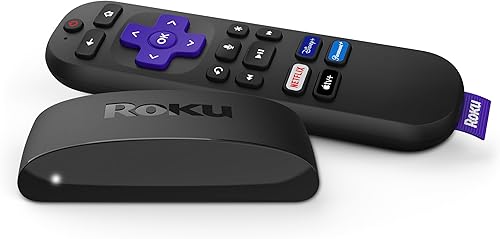
Streaming sticks plug directly into an HDMI port and draw power from a USB port on the TV or wall, keeping the setup completely wire-free beyond the power cable. They are lighter and easier to move between TVs. Streaming boxes sit on a shelf and connect via a short HDMI cable, but they often add wired Ethernet and a USB port for local media. If your Wi-Fi signal near the TV is strong and consistent, a stick is all you need. If you are in a larger home with spotty wireless coverage, a box with Ethernet, such as the Roku 4802R at around $80 with Bluetooth, Ethernet, USB, and Wi-Fi, prevents buffering by keeping the connection stable. Choose the stick for simplicity and the box for reliability.
Resolution: 1080p vs. 4K and When Each Makes Sense
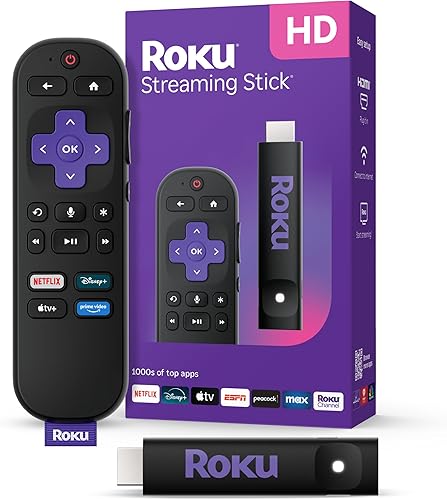
If your TV tops out at 1080p Full HD, there is no reason to pay for a 4K device. A 1080p stick gives you the same picture the TV can produce at a lower price. The Roku 3840R at around $29, rated 4.7 stars across more than 20,000 reviews with 10,000 purchases last month, delivers 1080p over Bluetooth and Wi-Fi and is one of the most popular options in the category. If you own a 4K TV, step up to a 4K device so you get sharper detail on 4K content from Netflix, Disney Plus, and YouTube. The Roku 3941R at about $39 handles 4K over Wi-Fi and carries a 4.7-star rating from over 103,000 reviews, making it a reliable 4K starting point without overspending.
Platform: Roku, Google TV, Apple TV, and Amazon Fire TV
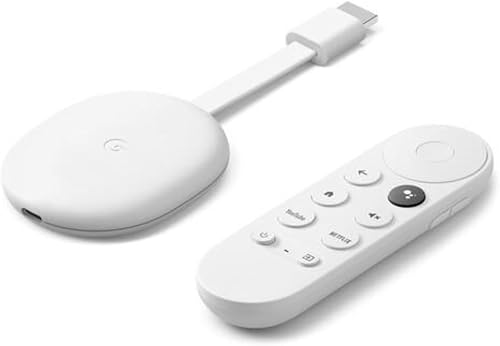
Each platform has a different approach to app organization, voice control, and privacy. Roku is the most neutral: it does not favor any specific streaming service and works with virtually every major app. Google TV layers a content-recommendation interface on top of the Google Play Store, which gives you access to thousands of Android TV apps and tight integration with Google Assistant. The Google GRS6B at $79.99, rated 4.4 stars across 3,575 reviews with 4,000 purchases last month, runs Google TV with 4K output and supports both Ethernet and Wi-Fi, which suits households already deep in the Google ecosystem. Apple TV suits iPhone and iPad users who want AirPlay, tight iCloud Photos integration, and access to Apple Arcade. Amazon Fire TV works best if you subscribe to Prime Video, since that content gets the most prominent placement. Pick the platform whose services and voice assistant you already use daily.
Wi-Fi vs. Wired Ethernet: Connectivity Basics
Almost all streaming sticks rely on Wi-Fi, and that is fine for most homes with a modern dual-band or tri-band router within reasonable range of the TV. Problems show up when the router is two rooms away, walls are thick, or multiple devices are competing for bandwidth at the same time. In those cases, a box with a wired Ethernet port removes the wireless variable entirely. Dual-band Wi-Fi (2.4 GHz and 5 GHz) is common on current devices. The 5 GHz band is faster but shorter range, while 2.4 GHz travels farther through walls. If you can run a cable to the TV, do it. If not, make sure you are buying a device that supports 5 GHz Wi-Fi.
Budget: What You Actually Get at Each Price Point
Under $35 gets you a solid 1080p stick that handles every major streaming app with no frills. In the $35 to $55 range, 4K becomes available and you often gain better Wi-Fi support. From $55 to $90, you find 4K boxes with Ethernet, faster processors for snappier menus, and in some cases Bluetooth audio output for wireless headphones. Above $90, premium options add voice remotes with a headphone jack, hands-free voice control, and enhanced local media support. Most households hit a comfortable sweet spot in the $35 to $55 range, where 4K, reliable Wi-Fi, and a polished interface are all present without paying for features that go unused.
Smart TV Already Installed: Do You Still Need a Streaming Device?
Built-in smart TV platforms have improved but they still lag behind dedicated streaming devices in two important ways. First, updates on smart TV platforms are tied to the TV manufacturer's schedule, which means they can fall behind on app updates or stop receiving them entirely after a few years. Second, the processors in budget smart TVs often slow down noticeably after two to three years of use, making menu navigation sluggish. A dedicated streaming device, even an entry-level one, typically runs faster and receives software updates more frequently. If your smart TV is new and responsive, you can hold off. If the built-in interface is already showing its age or missing apps you want, a $30 to $45 stick is a cheap fix.
Common mistakes to avoid
- Buying a 4K device for a TV that only displays 1080p, paying for resolution the screen cannot show.
- Choosing a platform based on price alone without checking whether it carries the specific apps you want, such as niche sports or international streaming services.
- Ignoring connectivity when Wi-Fi is weak near the TV, then blaming the device for buffering that a wired connection would eliminate.
- Buying the cheapest stick without checking the review count, since very low review totals make it hard to judge real-world reliability.
- Overlooking the voice remote when hands-free search is something you would actually use every day, since not all budget models include it.
- Assuming the built-in platform on a new smart TV is good enough long-term, when software support often drops within three to four years.
Frequently asked questions
Do I need a streaming device if my TV is already a smart TV?
Not necessarily, but it depends on how well the built-in platform performs. If your smart TV runs apps smoothly and receives regular updates, you can skip the extra device. If the interface is slow, missing apps you want, or the manufacturer has stopped pushing updates, a dedicated streaming stick in the $30 to $45 range will give you a noticeably better experience.
Is 4K streaming worth it over 1080p?
Only if your TV supports 4K and you subscribe to a service that delivers 4K content. Netflix, Disney Plus, and YouTube all offer 4K on qualifying plans. If your TV is 1080p, stick with a 1080p device and save the money. If your TV is 4K, a 4K streaming device, typically priced around $35 to $45, is worth the small premium.
What is the difference between Roku and Google TV?
Roku is a neutral platform with a simple grid layout that treats all streaming services equally, making it easy to find content without any one service being pushed front and center. Google TV wraps a recommendation feed on top of Android TV, pulling suggestions from multiple services at once, and ties tightly into Google Assistant and the Google Play Store for a much larger app library. Households already using Android phones or Google services generally find Google TV the more natural fit.
Can I use a streaming device on any TV?
Any TV with an HDMI port works with a streaming stick or box, which covers nearly all TVs made in the last 15 or more years. Some older TVs only have composite or component inputs, and for those you would need a device with analog output, which is rare in current products. As long as your TV has HDMI, you can plug in any current streaming device.
How do I contact RalTV if I have a question?
You can reach the RalTV team by email at hello@raltv.com. We cover TVs, streaming devices, mounts, antennas, and TV accessories and are happy to point you toward the right product for your setup.