Do OLED TVs Burn In?
Recommended picks


How Burn-In Actually Happens
Every pixel in an OLED panel produces its own light by passing current through organic compounds. When the same pixel is pushed hard for a long time, those compounds degrade faster than the pixels around them, leaving a faint permanent image. The critical factors are brightness level, how long the static element stays on screen, and how often that pattern repeats over months and years. A channel logo in the corner of the screen at moderate brightness for a few hours a day is far less damaging than a white desktop taskbar at maximum brightness running for eight hours straight. Most broadcast and streaming content rotates imagery fast enough that no single area of the panel is overworked.
Which Content Patterns Raise the Risk
Static channel logos, sports score overlays, stock tickers, and news channel lower-thirds are the most cited culprits. Gaming HUDs, particularly in open-world games with persistent mini-maps and health bars, can cause uneven wear over hundreds of hours. Using an OLED as a primary PC monitor is a known risk because the taskbar, desktop icons, and browser chrome sit in fixed positions all day. Screensavers and sleep timers matter here, so setting the panel to sleep after 10 to 15 minutes of inactivity removes a large portion of the cumulative exposure. The Sony K65XR8B (65 inch, 4K, 120Hz, rated 4.7 stars across 224 reviews at $1,598) and similar flagship OLED panels include automatic screen dimming when static content is detected, which cuts peak pixel stress without you having to do anything.
Built-In Protections on Modern OLED Panels
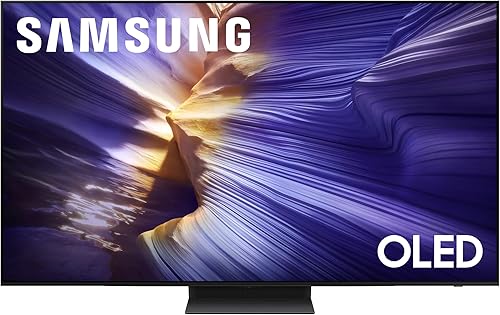
Manufacturers have invested heavily in reducing burn-in risk since early OLED panels drew criticism around 2017 to 2019. LG's webOS panels run a pixel refresh routine that recalibrates organic compounds after every four hours of use. Samsung's QD-OLED panels, like the QN65S90FAFXZA (65 inch, 4K UHD, 144Hz, Tizen, 4.4 stars from 457 reviewers, $1,397.99), use a quantum dot layer that changes how the blue OLED emitters are driven, which distributes wear differently than traditional white OLED designs. The LG OLED55G4SUB (55 inch, 4K UHD, webOS, 4.5 stars from 255 reviewers, $1,416.90) includes screen shift, pixel refresher, and logo luminance adjustment as standard features that activate automatically. These protections do not make burn-in impossible but they significantly extend the practical lifespan under normal use.
How Long It Takes for Burn-In to Appear
Under abuse conditions, meaning a static image at peak brightness for eight or more hours per day, burn-in has shown up in accelerated longevity tests within a few thousand hours. Under normal home viewing conditions, independent long-term tests running panels continuously for 10,000 or more hours at realistic brightness levels have produced minimal retention. For a viewer who watches three to five hours of mixed content per day, reaching 10,000 hours takes roughly five to nine years. At that pace, most households replace a TV before burn-in becomes a visible problem. The risk curve is steep only for the edge cases described above.
Practical Steps to Minimize Risk
Lower the OLED light or brightness setting to the 40 to 60 range for normal indoor viewing rather than running it at maximum. Enable any automatic pixel care or screen shift features in your TV's picture menu. Set a sleep timer so the panel goes dark after 10 to 15 minutes without input. When gaming, reduce the game HUD opacity if the game allows it, or take breaks every hour or two. If you plan to use an OLED as a PC monitor for eight-plus hours a day, a high-quality QLED or IPS monitor will carry less risk over a multi-year ownership period. For dedicated TV use, these simple habits keep burn-in firmly in the theoretical category for most owners.
Is Burn-In Covered Under Warranty
Most manufacturers classify burn-in as consumer damage rather than a manufacturing defect, so standard warranties typically do not cover it. LG, Sony, and Samsung each state in their warranty terms that image retention caused by static content is excluded. Some credit cards and extended warranty plans through retailers cover it, so it is worth checking your purchase protection terms before buying. If you are genuinely worried, some retailers offer extended protection plans that explicitly list burn-in as a covered condition. Read the fine print because coverage varies widely, and ask specifically whether the plan covers "image retention" and "pixel degradation" rather than just mechanical or electrical failure.
Common mistakes to avoid
- Running the panel at maximum brightness all day, which accelerates organic compound wear faster than any other single factor.
- Leaving a paused game or a news channel on screen for hours while not actively watching.
- Disabling the automatic pixel refresh or screen shift features to avoid the brief interruption they cause.
- Using an OLED TV as a full-time PC monitor without setting an aggressive screen sleep timer.
- Assuming burn-in is covered by the standard manufacturer warranty and skipping extended protection.
- Panicking about burn-in risk and setting brightness so low that the picture looks flat, losing the contrast advantage that makes OLED worth buying.
Frequently asked questions
Can burn-in be fixed or reversed?
In most cases, no. Burn-in is permanent damage to the organic material inside the pixels and cannot be repaired by running a pixel refresh cycle or leaving the screen off. Very mild image retention that disappears after the TV sits unused for a few hours is different from true burn-in and is not permanent. If you see a ghost image that remains after 24 to 48 hours of normal varied viewing, that is likely permanent.
Is QD-OLED less likely to burn in than traditional WRGB OLED?
QD-OLED panels, found in Samsung's S90 and S95 series, use blue OLED emitters with a quantum dot conversion layer rather than a white emitter with color filters. This changes the stress pattern on the panel and some long-term observers believe it degrades more evenly, but both technologies carry burn-in risk under heavy static content use. The panel protections and your viewing habits matter more than the underlying OLED subtype for typical home viewers.
Does lowering brightness really help that much?
Yes, significantly. OLED pixel degradation is not linear with brightness. Pushing pixels to maximum output causes disproportionately faster wear than running them at moderate levels. Dropping from peak brightness to a cinema-calibrated level in the 40 to 60 OLED light range reduces the wear rate substantially while still delivering the deep blacks and vivid color that make OLED worthwhile. Most professional calibrators set OLED panels well below maximum brightness for exactly this reason.
Should I use a screen saver or sleep timer?
A sleep timer is the more reliable option. Screensavers that move a logo around the screen reduce static wear but still keep the panel lit. Setting the TV to power off after 10 to 15 minutes of no input eliminates that exposure entirely and also saves electricity. Most modern OLED TVs offer both options in their settings menu, and using the sleep timer together with the built-in pixel care features is the safest combination.
Are OLED TVs still worth buying given the burn-in risk?
For the overwhelming majority of TV buyers, yes. OLED panels deliver contrast ratios and black levels that no other current display technology matches at a similar price point. The burn-in risk is real but it is also manageable and is primarily a concern for a narrow set of use cases. If your primary use is watching movies, sports, and streaming content rather than running a static desktop or one game for hundreds of hours, an OLED is a practical and excellent choice. Contact us at hello@raltv.com if you have questions about specific models.