What Is an OLED TV?
Recommended picks
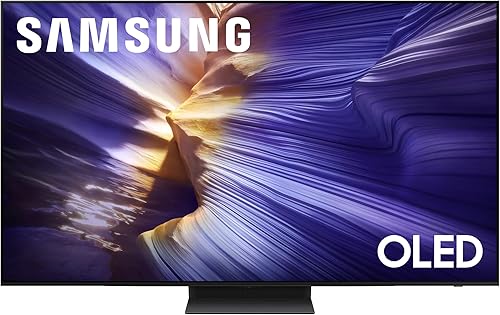


How OLED Pixels Work
Each pixel in an OLED display contains a thin layer of organic compounds that emit light when electricity passes through them. No backlight is needed because the pixel is the light source. When a scene calls for black, those pixels simply stop emitting, producing a black level that a backlit LCD cannot replicate. The organic layer sits between two electrodes and responds within microseconds, which is why fast motion looks cleaner on OLED than on most LED sets. This self-emissive design also lets manufacturers build panels as thin as a few millimeters at the edges.
Picture Quality: Where OLED Wins
Contrast ratio is where OLED separates itself from the competition. Because individual pixels can go dark, a night sky in a movie shows pinpoint stars against genuine black rather than a dark gray glow. Colors pop more naturally as a result, since the eye reads color saturation relative to the deepest black nearby. Viewing angles are also broader than on most LED TVs. Color and brightness stay consistent from the side, which matters if your couch is off-center. The LG OLED55G4SUB, rated 4.5 stars across 255 reviews, is a 55-inch 4K panel running webOS and priced around $1,417, and it illustrates the category well: the same picture quality that was reserved for very high-end sets a few years ago is now available at a mid-range price point.
Brightness and the One OLED Limitation
OLED panels do not get as bright as the best mini-LED or QLED sets. In a sun-flooded room with large windows, a high-brightness LED TV may look more vivid because it can overpower ambient light more easily. OLED manufacturers have improved peak brightness year over year, and current panels handle typical living-room lighting well, but for very bright environments an LED set may serve you better. The Sony K65XR8B is a 65-inch 4K OLED rated 4.7 stars from 224 buyers and priced around $1,598. It pairs OLED picture quality with Google TV and a 120 Hz refresh rate, making it a strong choice for rooms with moderate lighting.
Burn-In: Real Risk or Overstated Fear?
Burn-in happens when a static image is displayed at high brightness for hundreds of hours, leaving a faint ghost on the panel permanently. Early OLED TVs were more susceptible, and the concern was legitimate. Modern OLED panels include pixel-shifting, logo-dimming, and screen-saver features that reduce the risk significantly for normal home use. Watching varied content, movies, sports, and streaming, at typical brightness settings, is unlikely to cause burn-in in practice. The scenario to watch is leaving a news channel or video game HUD on at maximum brightness for extended daily periods. If that describes your household, keep auto-brightness limiting enabled.
OLED Sizes and Price Range
OLED panels start around 42 inches and currently top out near 97 inches for consumer sets. The most common sizes are 55, 65, and 77 inches. Entry-level 55-inch sets from LG run under $1,000 at retail, and a 65-inch model like the Samsung QN65S90FAFXZA (4.4 stars, 457 reviews, 144 Hz, Tizen, around $1,398) sits comfortably in the mid-range. Larger screens and premium lines from Sony and LG push into the $2,000 to $5,000 range. Certified-renewed OLED TVs are another option at 20 to 40 percent below retail, though you should verify warranty terms before buying.
Who Should Buy an OLED TV
OLED makes the most sense for buyers who watch movies, TV dramas, or sports in a room where they control the lighting, or at least keep it moderate. The technology excels at dark scenes, accurate color, and smooth motion. Gamers benefit from OLED's fast response and low input lag, and several current models support 120 Hz or higher refresh rates for console and PC gaming. If your primary concern is a very bright room or the lowest possible price per inch, a high-brightness LED or QLED set may be a better fit. For everyone else, OLED represents the clearest upgrade over a standard LED TV.
Common mistakes to avoid
- Buying an OLED for a very bright room without checking its peak brightness spec against the room's ambient light conditions.
- Leaving a static channel logo or game HUD at maximum brightness for hours daily, which is the scenario most likely to cause burn-in over time.
- Assuming all OLED TVs are the same. LG, Samsung, and Sony each use different panel technologies and smart platforms with real differences in performance.
- Ignoring screen size. A 55-inch OLED in a large room does not deliver the immersive experience the technology is capable of. Use a room-size calculator before choosing a size.
- Overlooking certified-renewed options. Amazon Renewed OLED TVs can save hundreds of dollars, but buyers should confirm the warranty length and return policy.
- Forgetting to enable the built-in pixel protection features. Most OLED TVs ship with logo dimming and pixel shift turned on, but restoring factory settings can disable them.
Frequently asked questions
Is OLED better than QLED?
For contrast and black levels, OLED wins because each pixel turns off independently. QLED LED sets using mini-LED backlights can reach higher peak brightness, which gives them an edge in very bright rooms. For most home viewing environments, especially dim or moderately lit rooms, the majority of buyers find OLED picture quality preferable.
Do OLED TVs burn in easily?
Burn-in is possible but uncommon with normal home use. It requires a static image at high brightness held on screen for very long periods repeatedly. Modern OLED TVs include pixel-shifting and logo-dimming features that reduce the risk substantially. Watching varied content at auto-brightness settings is considered low risk by most display engineers.
How long does an OLED TV last?
LG, the dominant OLED panel manufacturer, rates its panels at around 30,000 hours to half-brightness, which works out to over 15 years at 5 hours of daily viewing. Real-world longevity depends on average brightness and content type. Most buyers will replace a set due to new features or preference before the panel degrades noticeably.
What refresh rate should I look for in an OLED TV?
For general TV and movie watching, a 60 Hz panel is adequate, though most current OLED TVs run at 120 Hz natively. If you game or watch a lot of sports, 120 Hz or higher reduces motion blur and feels noticeably smoother. The Samsung QN65S90FAFXZA and other recent models reach 144 Hz, which benefits fast-paced gaming in particular.
Can I use an OLED TV as a computer monitor?
Yes, and OLED's low input lag and wide color gamut make it appealing for creative work and gaming. The main precaution is avoiding a static desktop background or taskbar at high brightness for long sessions. Using a screensaver, setting auto-brightness, and using dark mode reduces static-image stress on the panel. Many users run OLED sets as monitors without problems for years.