OLED vs LED TV: What Actually Matters When You Choose
Recommended picks

How the Panels Work
LED TVs use a liquid crystal display layer with a backlight, usually LED strips or a grid of LEDs, shining through it. Brightness is controlled by dimming zones in that backlight, but neighboring zones bleed light into each other. OLED stands for organic light-emitting diode, and each pixel generates its own light and can go fully dark on its own. That per-pixel control is why OLED contrast ratios are so high and why dark scenes look so clean on an OLED panel.
Picture Quality: Where OLED Leads
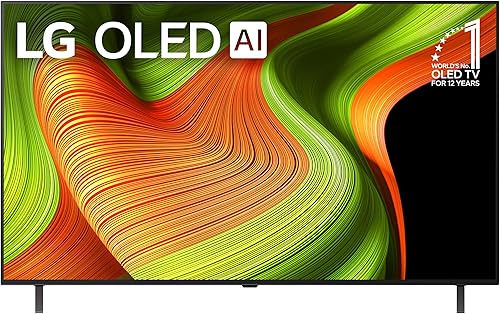
The biggest visible advantage of OLED is black level. When a pixel is off, it contributes zero light to the image, so dark backgrounds look genuinely black rather than dark gray. This makes high-contrast content like space scenes, night-time movies, or HDR material look noticeably more realistic. OLED panels also have wider viewing angles than most LED sets, so the picture holds up when you are sitting off to the side. The LG OLED55G4SUB (55 inch, 4K, webOS, rated 4.5 out of 5 across 255 reviews at around $1,417) is a representative example of a mid-tier OLED with the per-pixel contrast advantage built in.
Where LED TVs Hold an Edge
A good LED TV, especially one with a full-array local dimming backlight, can get significantly brighter than most OLEDs. That matters in living rooms with large windows or overhead lights that wash out the screen. LED TVs also start at much lower price points. You can find a capable 65-inch 4K LED for under $500, while a comparable OLED starts closer to $900 at the entry level. For buyers on a tighter budget, LED delivers a solid 4K picture without the OLED premium.
Gaming and Sports
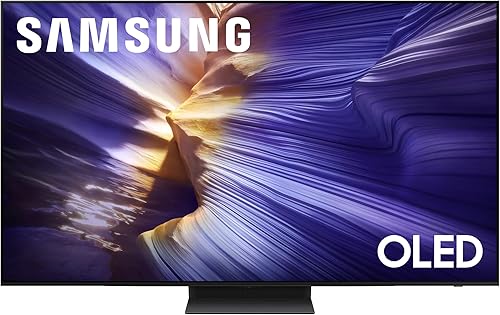
Gaming is one area where OLED has pulled ahead in recent years. Many current OLED sets support 120Hz refresh rates, and some Samsung OLED models push 144Hz. The Samsung QN65S90FAFXZA (65 inch, 4K UHD, 144Hz, Tizen, rated 4.4 out of 5 across 457 reviews at around $1,398) is one example of an OLED aimed directly at gamers who want the fastest response with deep contrast. Sports fans, however, often prefer bright LED panels because fast motion can sometimes look softer on OLED, and bright rooms favor LED anyway.
Burn-In: The Real Risk for OLED
Burn-in is a permanent image retention issue where static elements such as news tickers, channel logos, or HUD overlays in games leave a faint ghost on the panel after thousands of hours of display. It is a real concern for OLED, not a myth. The risk is low for people who watch a variety of content and do not leave static images on screen for extended periods, but it is worth factoring in if you plan to use the TV as a PC monitor or you always watch the same channel with a large static logo. LED TVs are not vulnerable to burn-in.
Which Should You Buy
Choose OLED if picture quality in a controlled-light room is your top priority, you watch a lot of movies or dark content, and you have a budget of roughly $900 or more for a 55-inch set. The LG OLED55B5PUA.AUSZ (55 inch, 4K, 120Hz, webOS, rated 4.5 out of 5 across 200 reviews at around $900) sits at the lower end of the OLED price range and is a reasonable starting point. Choose LED if you need maximum brightness for a bright room, you are budget-constrained, or you plan to run static content for long hours and want to avoid any burn-in risk.
Common mistakes to avoid
- Buying an OLED for a sunlit room and then finding the picture looks washed out during the day
- Ruling out OLED entirely over burn-in fears when typical mixed-content viewing rarely triggers it
- Paying for a 120Hz or 144Hz OLED but connecting it to a source that only outputs 60Hz
- Choosing panel type before measuring how much ambient light actually hits the screen
- Skipping local dimming comparisons when shopping LED, since backlight quality varies enormously between models
- Assuming all OLED TVs are the same brightness when actual peak brightness varies considerably by model and generation
Frequently asked questions
Is OLED always better than LED?
Not always. OLED leads on contrast, black levels, and viewing angles. LED leads on peak brightness and price. In a very bright room, a high-brightness LED will look better than an OLED that cannot punch through the ambient light.
How much more does an OLED TV cost compared to a similar LED?
At entry level you can find a 55-inch 4K LED for under $400, while entry OLED in the same size starts around $900. At 65 inches the gap widens further. The premium narrows at the high end of the LED market, where flagship mini-LED sets approach OLED pricing.
Do OLED TVs burn in easily?
Burn-in requires prolonged display of a static image, typically thousands of hours at high brightness. Casual viewers who switch between movies, sports, and streaming rarely encounter it. The risk is higher for dedicated gaming setups with persistent HUD elements or for use as a desktop monitor.
Can an OLED TV handle a bright living room?
It can manage moderate ambient light, but a very bright room will reduce perceived contrast and wash out darker scenes. If your living room gets direct sun for several hours a day, a bright LED or mini-LED set will give you a more satisfying picture during those hours.
What refresh rate should I look for?
120Hz is the standard for smooth motion on both OLED and LED, and it covers 4K gaming at high frame rates. Some OLED models now reach 144Hz, which reduces input lag further for competitive gaming. For regular TV watching and streaming, 60Hz is technically sufficient but 120Hz panels handle fast sports better.