How to Choose a TV Antenna
Recommended picks


Check Your Distance to Broadcast Towers First
Antenna range claims on the box are measured under ideal, open-field conditions. Real-world range is typically 30 to 50 percent lower once you account for walls, trees, terrain, and competing signals. Use a free tool like antennaweb.org or tvfool.com before you shop. Enter your address and you get a color-coded map: green and yellow stations are easy to receive with a basic indoor antenna, red and purple stations need a directional outdoor unit. If all your target stations sit within 20 miles and the map shows green, a $10 to $20 flat indoor antenna is genuinely all you need.
Indoor vs. Outdoor Antennas
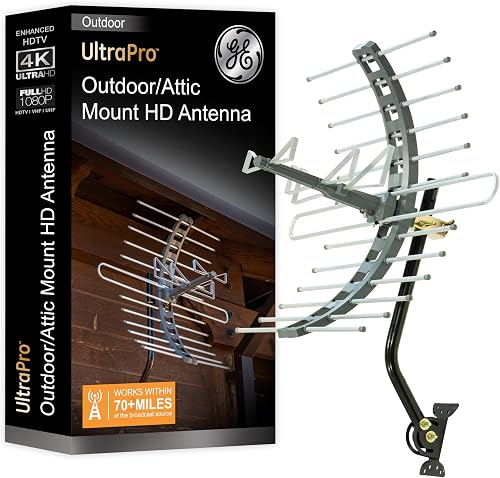
Indoor antennas are flat panels or small loop designs that sit on a shelf or stick to a window. They cost $10 to $40, install in minutes, and work well in suburban and urban areas close to towers. The GE 33681, rated 4.2 stars across 1,777 reviews and priced around $19.72, is a steady seller with over 4,000 units bought in a recent month, which reflects how many households find a basic indoor unit gets the job done. Outdoor antennas mount on a roof, eave, or attic rafter and can reach towers 45 to 70 miles away that indoor units cannot. They are larger, require a coax cable run to the TV, and cost $40 to $175 or more. The GE 29884-PK1 at $38.98, rated 4.4 stars from over 10,600 reviews with 4,000 units bought per month, sits at the boundary: it is sized for outdoor or attic use but priced accessibly. Attic mounting is a practical middle ground if you want the distance of an outdoor antenna without weatherproofing concerns.
Directional vs. Multidirectional (Omnidirectional)
A directional antenna picks up signals from one direction with higher gain, making it the right choice when all your towers cluster in one area. You aim it once and leave it. A multidirectional antenna receives from a wider arc, which is useful when towers spread around you in different directions. The trade-off is that gain is lower per direction, so multidirectional models work best when towers are relatively close. The RCA ANT751E, priced at $63.94 with a 4.4-star rating from over 12,400 reviews, is a popular outdoor directional model that buyers choose when they have a specific tower cluster to aim at. If your antennaweb map shows towers spreading 90 degrees or more apart, check whether a rotor motor or two separate antennas might serve you better than one omnidirectional unit.
Signal Amplifiers: When They Help and When They Hurt
An amplifier boosts a weak signal, but it also amplifies noise. If your signal is already strong, adding an amplifier can actually cause more pixelation and dropouts by overloading your TV tuner. Amplifiers make sense when your coax cable run is long (over 50 feet), when you are splitting the signal to multiple TVs, or when you are right on the edge of reception range. They do not fix a signal that is blocked by terrain. A preamplifier mounts at the antenna itself and amplifies before cable loss, which is more effective than a distribution amplifier that sits near the TV. If you are close to towers and getting a clean picture, skip the amplifier entirely.
UHF vs. VHF and Why It Matters
After the digital transition, most stations moved to UHF frequencies (channels 14 to 51). However, some major network affiliates broadcast on VHF-Hi (channels 7 to 13), and a few still use VHF-Lo (channels 2 to 6). Small flat indoor antennas are optimized for UHF and may struggle with VHF-Hi stations. If antennaweb shows a local NBC or ABC affiliate on a channel below 7, look for an antenna that explicitly covers VHF. Larger outdoor yagi-style antennas and traditional rabbit-ear designs handle VHF better. Checking the actual broadcast channel, not the virtual channel shown on your TV guide, tells you which band you need.
What to Ignore on the Box
Marketers print large range numbers like '150 miles' on packaging that have no basis in typical conditions. Ignore those figures and focus on your antennaweb tower map instead. Labels like '4K antenna' and '8K ready' are marketing language, not technical specs. Antennas receive analog radio waves regardless of the resolution your TV displays, so the digital decoding quality depends entirely on your TV tuner, not the antenna. Avoid paying a premium for antennas sold purely on range claims or generation-of-TV buzzwords.
Common mistakes to avoid
- Buying based on the printed range number on the box instead of checking your actual tower distances at antennaweb.org first.
- Adding a signal amplifier when you are close to towers, which can overload the tuner and create more pixelation, not less.
- Choosing a UHF-only flat indoor antenna when a local major network affiliate broadcasts on VHF (channels 2 to 13).
- Placing an indoor antenna low on a wall or behind a TV cabinet instead of near a window at the highest point in the room, where signal is strongest.
- Expecting one antenna position to work and giving up after a single try. Moving the antenna a few feet can make a significant difference because of multipath interference.
- Splitting one antenna signal to four or five TVs without a powered distribution amplifier, which divides signal strength and causes dropouts on the TVs farthest from the antenna.
Frequently asked questions
Do I need a special antenna for HD or 4K channels?
No. All over-the-air broadcasts use the same radio frequencies regardless of the resolution your TV displays. Any antenna that receives the signal cleanly will deliver HD picture quality. The '4K antenna' label on some products is a marketing term with no technical meaning.
How do I know if I need an amplified antenna?
Check your tower distance at antennaweb.org. If you are within 20 to 25 miles and getting a strong signal, an amplifier will not help and may hurt. Amplifiers are worth considering when your coax run exceeds 50 feet, when you are splitting to multiple TVs, or when you sit 40 or more miles from the towers you want.
Can I use one antenna for my whole house?
Yes, with a powered splitter or distribution amplifier. A passive splitter cuts signal strength by roughly half with each split, so two TVs get about 50 percent of the original signal and four TVs get about 25 percent. A powered distribution amplifier compensates for that loss. For three or more TVs, a 4-way or 8-way powered splitter is the right approach.
Will an indoor antenna work in an apartment?
Often yes, if you are in a city or suburb within 25 miles of the broadcast towers. Concrete and steel buildings do weaken the signal, so placement matters. Mount the antenna as high as possible and as close to a window facing the tower direction as the cable length allows. Upper floors receive better signal than ground-floor units.
What is the difference between a directional and an omnidirectional antenna?
A directional antenna focuses on signals coming from one direction and achieves higher gain in that zone, making it the best choice when your towers are clustered in one area. An omnidirectional antenna receives from all directions at lower gain per direction, which suits locations where towers are spread around you. Check your antennaweb tower map to see which layout matches your situation before buying.